
 Kobe Dereyne
Kobengine
... is a custom 3D Game-Engine written from scratch in C++, using Pompeii as its renderer.
... is a custom 3D Game-Engine written from scratch in C++, using Pompeii as its renderer.
Kobengine is a custom 3D game engine written from scratch in modern C++ (C++20). It is the successor of my earlier Kobengine2D, but this time built in 3D on top of my own Vulkan renderer, Pompeii, which the engine consumes as a library.
The goal of Kobengine is to slowly grow into a usable, general-purpose 3D engine: a scene and component model, systems that drive rendering and lighting, asset management, input, events, and a layer system that applications can hook into. To prove that it works (and to make working in it pleasant), I am also building an editor on top of it: Kobeditor.
Kobengine is in active development and evolving together with Pompeii and Kobeditor. Look around here, or at the code on GitHub to see what it has become so far!
Scenes contain scene objects, created and destroyed safely through deferred pending/cleanup lists.
Scene objects are composed of components such as Camera, MeshFilter, MeshRenderer, and Light, added through a templated API.
Full parent/child hierarchy with local and world space transforms, lazily recomputed using dirty flags.
Applications are built out of layers with lifecycle hooks. The engine's RenderLayer drives Pompeii. Kobeditor hooks into this system and adds its own EditorLayer.
Systems gather mesh renderers and lights each frame and submit them to the renderer, managing shadow maps and camera data.
Loads and caches meshes (via Assimp) so each asset is loaded once, and owns their GPU resource lifetime.
Owns all scenes and the active scene, driving initialization and updates from the main loop.
Command-based input: bind any callable to a key or mouse button on Press, Hold, or Release. Backed by swappable input handlers.
Type-safe multicast event/delegate template supporting free functions, member functions, and lambdas.
Type-indexed registry giving centralized access to engine services like the SceneManager, RenderSystem, LightingSystem, and AssetManager.
Event-driven logging with severities. Anything can subscribe to log messages; Kobeditor's console panel does exactly that.
Windowing and input are hidden behind interfaces (IWindow, IInputHandler), currently implemented with GLFW.
Hover or tap a feature to see its description.
Kobengine sits in the middle of a three-layer stack, with each layer building on the one below it:
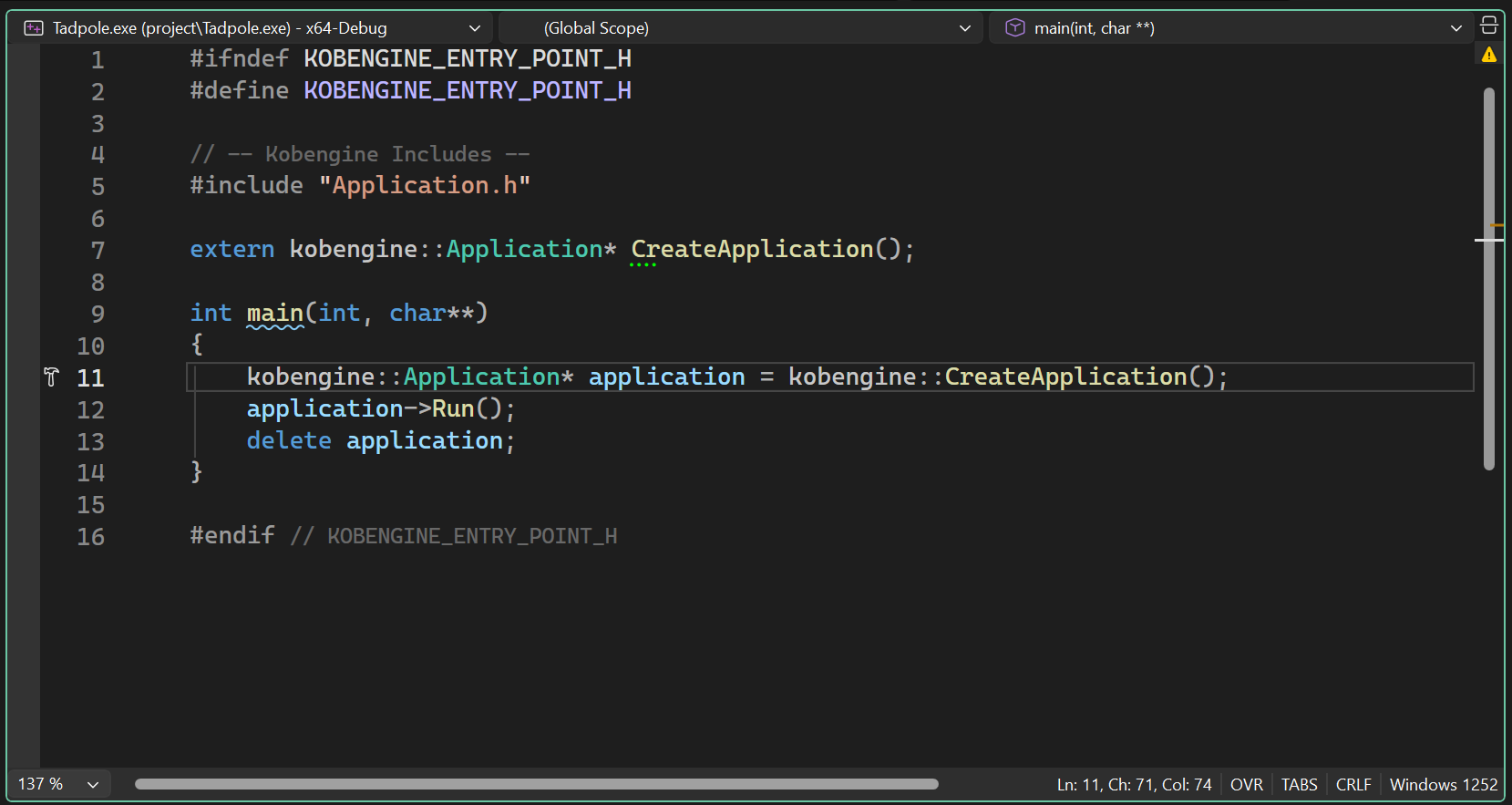
The engine itself compiles as a static library. An application provides a CreateApplication() factory, and the engine owns main() and the run loop:
#include "KobengineEntryPoint.h"

class MyApp final : public kobengine::Application
{
public:
	explicit MyApp(const pompeii::WindowSettings& settings)
		: Application(settings)
	{
		// push your own layers, set up your scene, ...
	}
};

kobengine::Application* kobengine::CreateApplication()
{
	return new MyApp(/* window settings */);
}
Every frame runs through a fixed, predictable order: the timer updates, the window polls events and input commands are dispatched, the systems get their BeginFrame, the active scene and systems update, all layers run their Begin/Update/End hooks (this is where the RenderLayer records and submits the frame), and finally the systems get their EndFrame. A frame limiter keeps the loop at a target frame rate.
A Scene owns SceneObjects, and every scene object owns a Transform plus any number of components. Creation and destruction are deferred: new objects sit in a pending list until the next update, and destroyed objects are flagged and swept afterwards, so containers stay stable while iterating.
kobengine::SceneObject& sun = scene.AddEmpty("Sun");
sun.AddComponent<kobengine::LightComponent>(/* direction, color, intensity */);

if (auto* light = sun.TryGetComponent<kobengine::LightComponent>())
	light->lightData.color = { 1.f, 0.9f, 0.7f };
Input uses the command pattern: you register callables against keys or mouse buttons with a trigger state, and the input manager dispatches them every frame.
kobengine::InputManager::RegisterCommand(
	kobengine::KeyCode::W,
	kobengine::TriggerState::Hold,
	[&]() { camera.Translate(camera.GetForward() * speed); });
Communication happens through a type-safe multicast Event<Args...> template, similar to C# events. Listeners can be lambdas, free functions, or member functions. The engine's logger uses this: Debug::OnMessageLogged fires for every log call, which is how Kobeditor's console panel receives its messages without the engine knowing the editor exists.
kobengine::Debug::OnMessageLogged.AddListener(this, &ConsolePanel::OnLog);
kobengine::Debug::LogWarning("This shows up in the editor console!");
Kobengine is a work in progress, and there is a clear roadmap of what comes next: real frustum culling in the render system, scene serialization (saving and loading scenes), a cleaner boundary between engine and renderer, and gradually moving demo/editor specific behavior out of the engine core. Much of this goes hand in hand with Kobeditor, which is where these features become visible and usable.
Besides Pompeii, the engine layer keeps its dependencies small:
Cross-platform windowing and input, hidden behind the engine's window and input handler interfaces.
Mathematics library for transforms, matrices, and vector operations.
Loads 3D models in various formats (glTF, GLB, OBJ, FBX) for the asset manager.
Single-header utilities for image loading.
Hover or tap a feature to see its description.